Last modified:
Configure report templates and create reports for a specific asset.
About reports
Creating reports is a recurring task for financial asset managers. With the portal, you can simply create reports based on the already existing content and structure of your asset’s dashboard.
Note
This domain is not accessible for production assets in conceptual stage. See Conceptual stage for production assets.
Views of the Reports domain
Enter the Reports domain in platform view, by selecting the dedicated domain tab for 
Overview
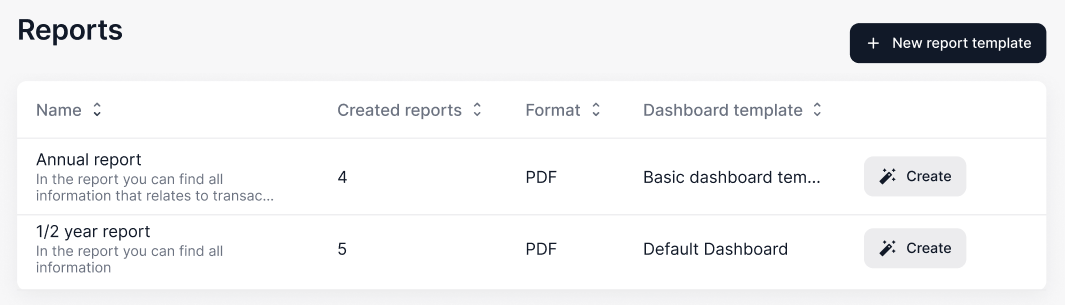
In the overview, you see a list of all report templates.
Quick view
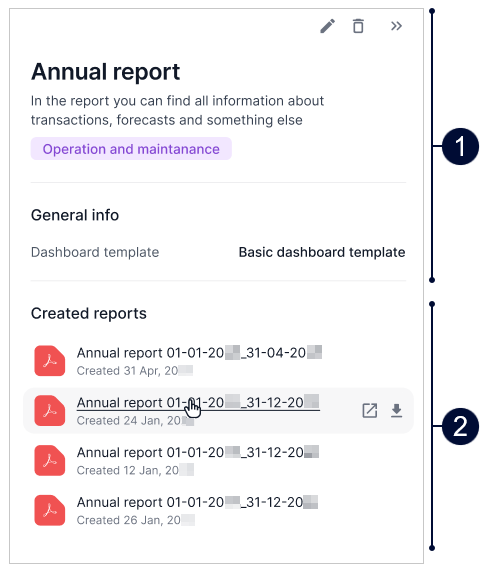
Select a report template in the overview to display a quick view of its details in a side panel and find the corresponding reports there.
|
Name |
Details |
|
|---|---|---|
|
1 |
General info |
View the report template’s details. |
|
2 |
Created reports |
View and download all reports that were already created from the template. You can also find all reports in the Documents domain. |