.svg)
Last modified:
Assign system-specific responsibilities to users or contacts at system level >
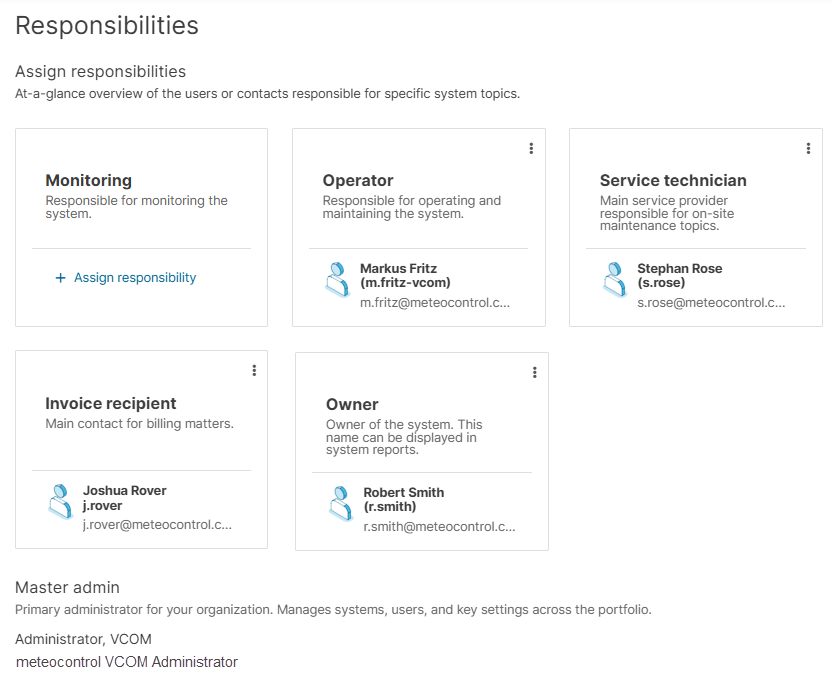
Functional scope of different responsibilities
All responsibilities
-
All responsibilities can be displayed as columns in the portfolio overview. See Portfolio overview.
-
All responsibilities can be displayed in Business card tab of the System information portlet.
-
cmms only All responsibilities appear as suggestions when adding a contact to a work order. See Work orders in VCOM.
Monitoring
-
Information about the person responsible for monitoring is for informational purposes only.
Operator
-
Information about the operator is for informational purposes only.
Service technician
-
The service technician can access options regarding VCOM Public at system level >


Owner
-
The owner is set as the default contact in the general category of OpenOffice reports.
-
The owner can access options regarding VCOM Public at system level >
-
In rare cases, the owner can access options regarding contract management at system level >
Invoice recipient
-
In rare cases, the invoice recipient can access options regarding contract management at system level >
-
For certain contract types, the invoice recipient receives an email when the contract is about to expire.
Master admin
-
Your organization’s master admin. Only displayed for systems that belong to your organization’s portfolio, not for systems shared via Shared assets.
Note: Virtual systems
Most of the responsibilities do not apply to virtual systems, so it is not necessary to assign a user to them. For example, as a virtual system is not billed separately, no invoice recipient is needed. There is also not a separate owner or electrician for a virtual system. However, you can assign responsibilities for monitoring and operation for informational purposes.
Assign responsibilities
Make users or contacts responsible for certain system topics. Assigning responsibilities is not mandatory for a system to work properly.
Prerequisites
-
You already created the responsible users and contacts at portfolio level . Alternatively, you can create them directly on the Responsibilities page. For more information on the respective input fields, see Users and contacts.
Steps
-
At system level , go to
-
Select

-
In the appearing window, all users who have access to that system are listed, along with all contacts of your entire organization.
-
Select a user or contact from the list.
-
If the person is not in the list, you can create them here:
-
Select Add new contact to add a new contact. See Create a new contact.
-
Select Add new user to add a new user. You will be redirected to mc Cloud. See Create a new user for VCOM.
-
-
Select
The user or contact is now listed as responsible for the respective topic. Repeat for the other responsibilities.
Further actions
-
Select

-

-

-

-