.svg)
Last modified:
About misproduction alarms
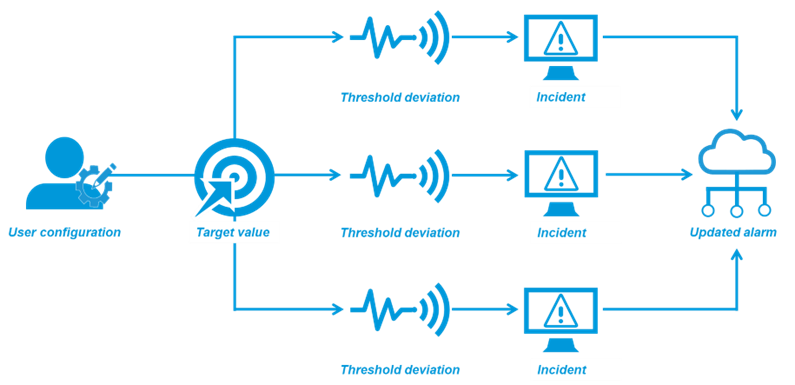
Misproduction alarms notify you about the variance between target and actual (measured) values for the overall system and individual inverters.
An alarm is triggered if the deviation between the target and the actual value exceeds the normal threshold configured. Additional thresholds can be configured to trigger alarms with different severities. The target value and the comparison to the actual value are calculated on an interval basis, both for the whole system as well as for each inverter every time the data is updated.
Parameters
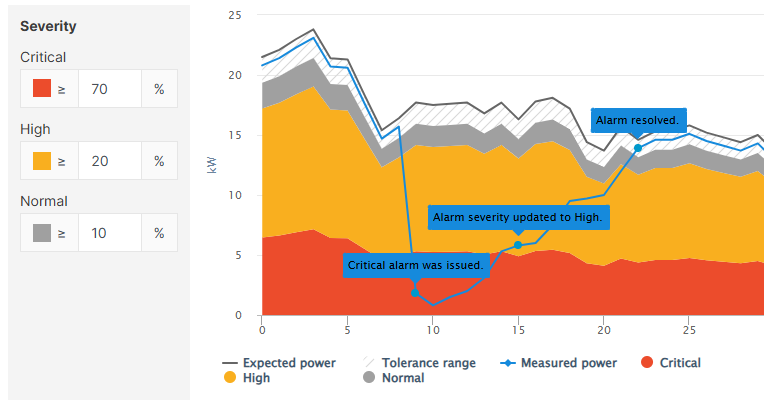
Severity: To test the effect of different severity values on misproduction alarms, go to Misproduction alarms > Interactive preview.
-
Monitoring period: To restrict alarms to daylight hours, tick the check box Sunrise to sunset and configure a delay if desired. If the incident occurs outside the defined time range, the alarm will be triggered once your defined time range begins.
-
Expected power: See Calculation methods for total outage and misproduction alarms.
-
Monitoring threshold: Monitoring begins once the expected power reaches the defined percentage of nominal power (= manufacturer's indication of the system's power output under normal conditions).
Example
For example, with a 100 kW system and a threshold set to 7.5%, the alarm is only triggered if the expected power exceeds 7.5 kW and the other trigger criteria are met.
-
Delay after first occurrence: If you configure a delay, an alarm will only be triggered in case of persistent incidents. This helps to avoid alarms for deviations that only occur for a short time.
Example
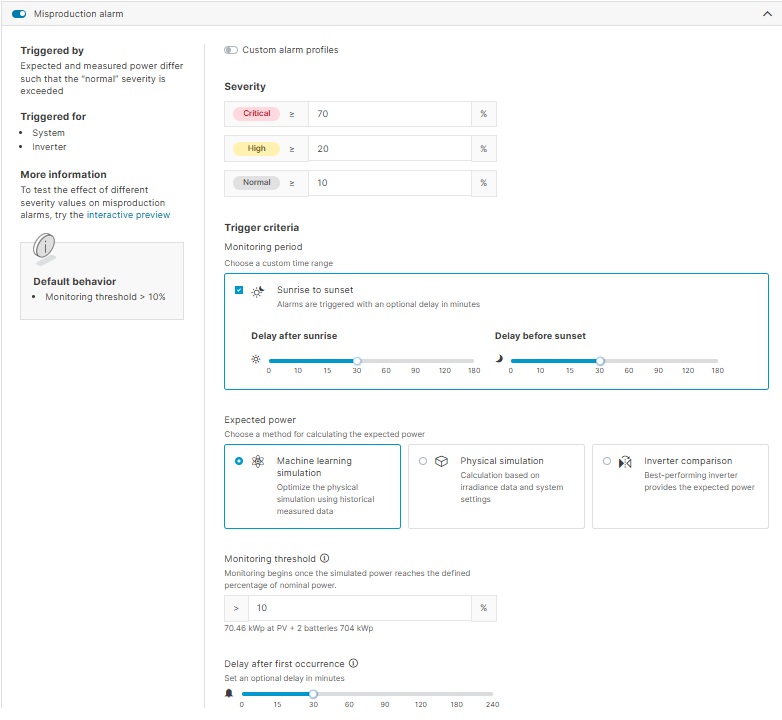
Based on the settings in the screenshot below:
-
No custom alarm profiles are used.
-
The monitoring period begins 30 minutes after sunrise and ends 30 minutes before sunset.
-
The machine learning simulation will calculate the expected power.
-
When the monitoring threshold exceeds 70%, a critical alarm will be triggered if the incident persists for 30 minutes. The alarm severity will be continuously updated until the threshold returns to the normal range.