VCOM Cloud
English German
English German

Verify data transmission to the portal's server

Last modified:

There are different ways to verify whether your data source is transmitting data to VCOM or if there is a transmission problem.

Note

Contact Support if there is a transmission problem.

Data logger overview portlet

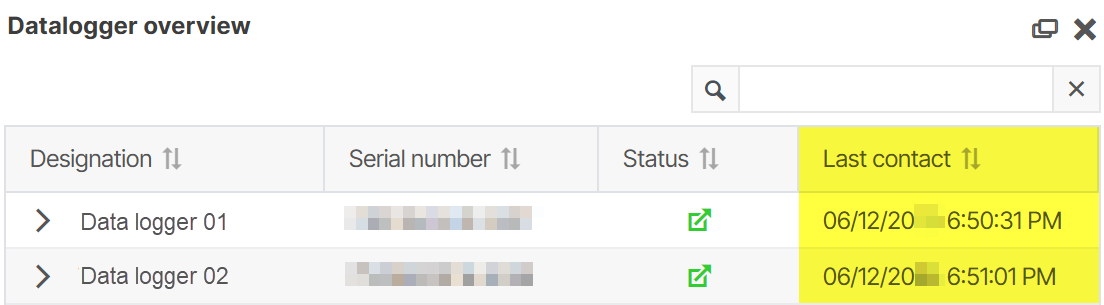
At system level , add the Data logger overview portlet from the icon-grid6.png Portlet center. Check the column Last contact to see if data has been transmitted.

Check VCOMs last contact with the data logger
Check VCOM’s last contact with the data logger in the Data logger overview portlet

Technical data

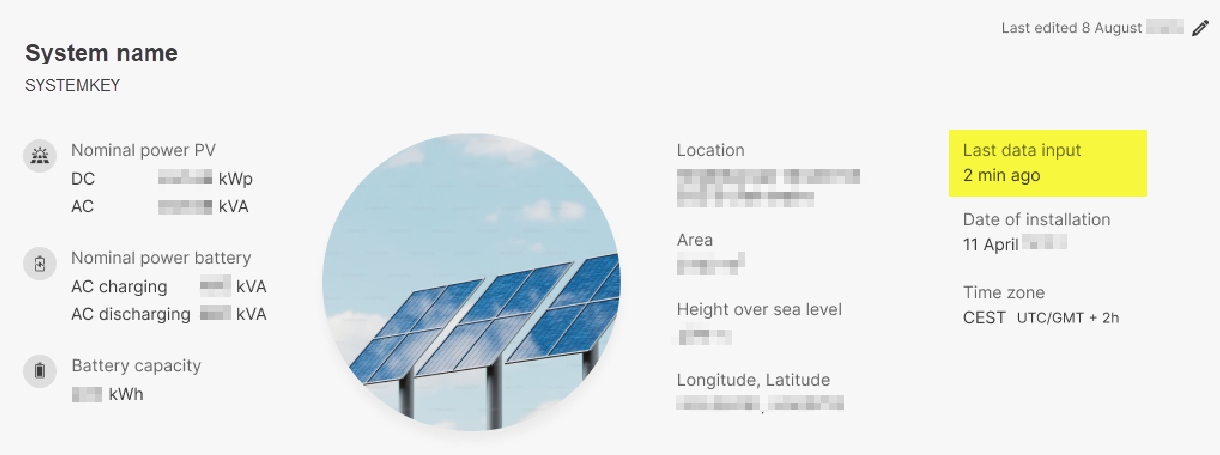
At system level , go to icon-wrench1.png System settings > icon-tree6.png System > Technical data and check the date under Last data input.

image-20250612-171939.png
Check VCOM’s last data input in the Technical data overview

Actual energy chart

At system level , select the Evaluation tab and check whether energy is being generated in the Actual energy chart.
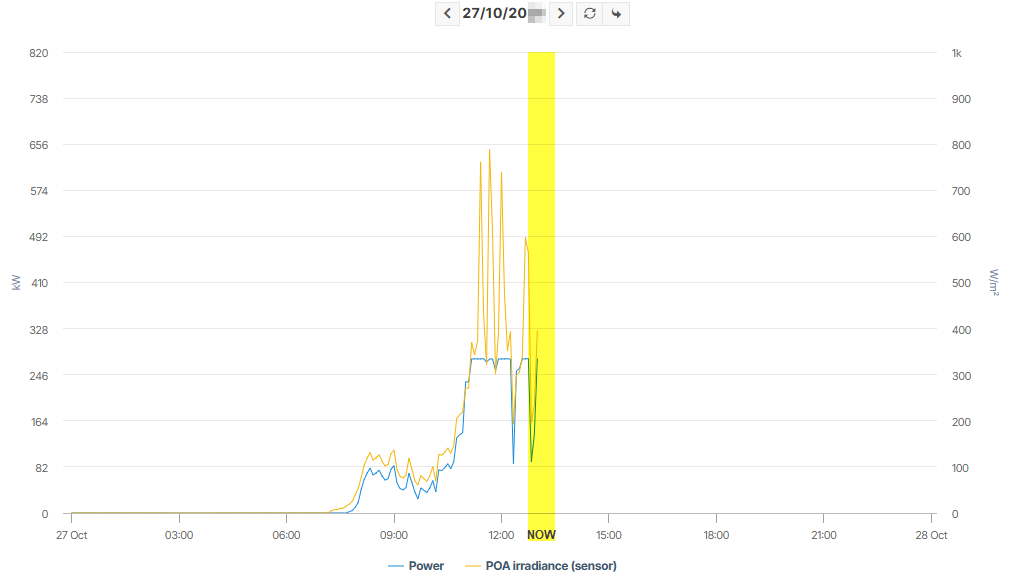
Confirm whether energy is being generated in the Energy generation chart
Confirm whether energy is being generated in the Actual energy chart

Portfolio settings

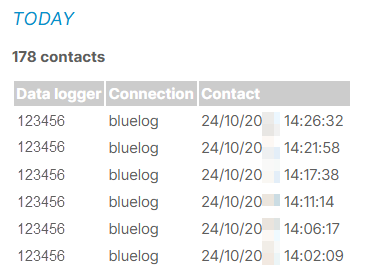
At portfolio level , go to icon-cog1(1).png Portfolio settings > icon-database1.png Data > Data logger server contact. Enter the hardware serial number or its relevant ID in the Data logger field and select Search. The latest server contacts are displayed in the list.

image-20251024-143036.png
Check the latest server contacts


Last updated: