.svg)
Last modified:
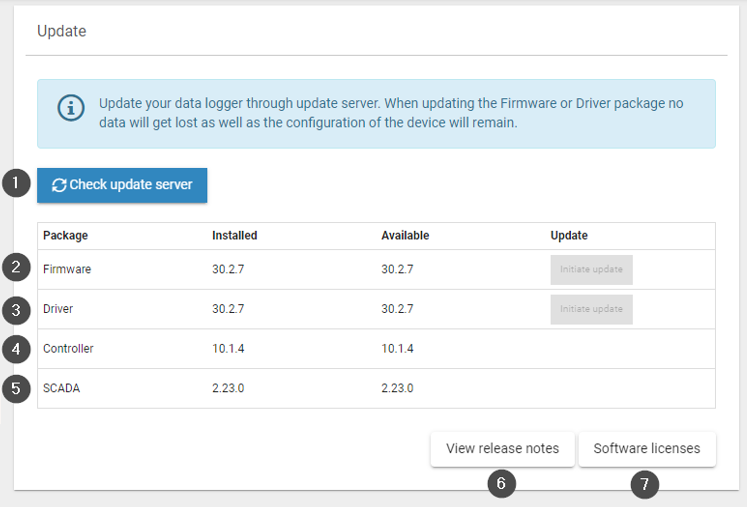
You can check the installed software versions and available updates on your blue'Log under Settings > Update.
|
Item |
Name |
Details |
|---|---|---|
|
1 |
Check update server |
Scan for all types of updates |
|
2 |
Firmware |
Current firmware on your blue'Log. |
|
3 |
Driver |
The driver database contains compatibility information for supported devices, such as inverters. Update the database when a new driver is required. See also Compatibility Check. |
|
4 |
Controller |
A major firmware update (indicated by a change in the first digit of the firmware version) may require a new system certification for the power control module. To update the controller, you must update the firmware. |
|
5 |
SCADA |
Displays the version of the SCADA Modbus Interface. To check available values for the installed version, refer to the SCADA interface Modbus register. Updating the SCADA version requires a firmware update. |
|
6 |
View release notes |
View the release notes for each firmware release. |
|
7 |
Software licenses |
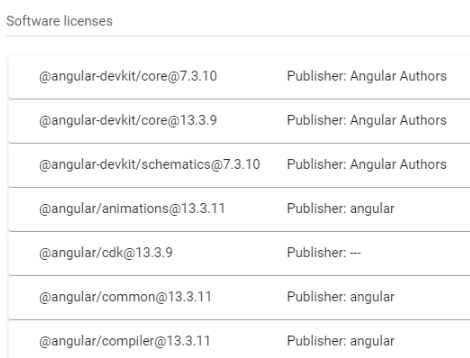
View which open-source packages and versions are installed on the device. Examples of software licenses
|