Last modified:
About creating companies
A company is a asset-independent entity. Therefore, you can create it at any asset level and it is available throughout your entire organization.
Create a new company
Prerequisites
-
You are the organization owner, an admin, or a member of all domains or the operations domain.
Steps
-
Select the domain tab

-
Select the tab Companies.
-
Select +New company.
-
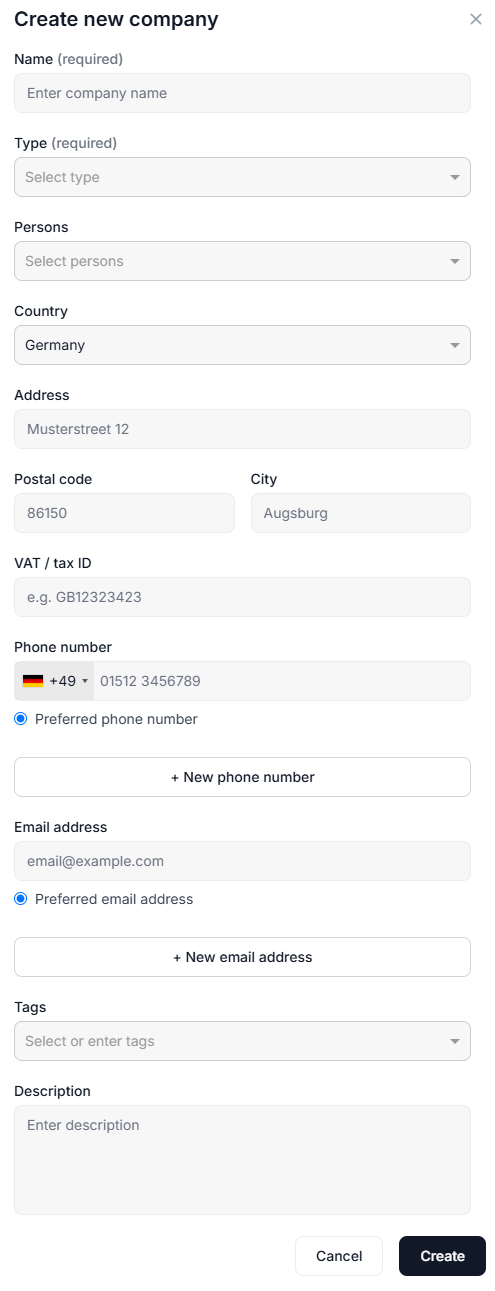
Fill in all the company’s contact details:
-
Name, address, phone numbers, email addresses, etc.
-
Type: Select a company type from the dropdown.
-
Persons: Optionally, select persons from the dropdown that belong to that company.
-
Tags: You can use topic-related tags to optimize your searches for all kinds of information, for example operations & maintenance, bank, etc. See also Tags for optimized search.
-
-
Select Create.
Your new contact company now appears in the list of companies.