Last modified:
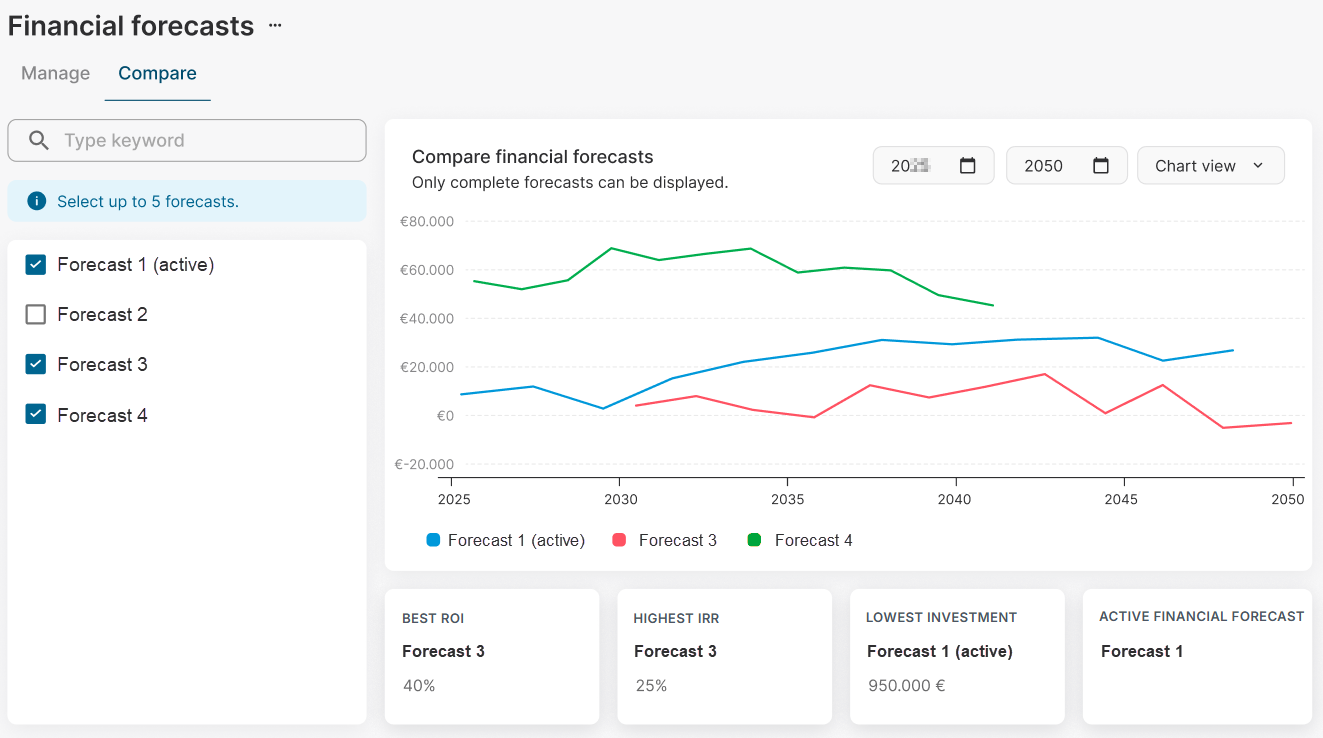
Display financial forecasts in comparison to each other in the Compare tab.
Prerequisites
-
The financial forecasts you want to compare must be complete, which means no parameters are missing.
Steps
-
Navigate to the asset level of your financial forecast
-
Select the domain tab

-
Select the financial forecasts you want to compare from the list on the left. You can select up to 5 forecasts.
All forecasts are immediately displayed in the diagram. The KPIs return on investment (ROI), internal rate of return (IRR), and investment costs are compared and the forecast with the best value is listed.
Further actions
-
Change the start and end date of the comparison period in the respective dropdowns.
-
Change the view from hart view to table view in the respective dropdown.