.svg)
Last modified:
Besides managing user-defined charts at system level, you can also manage them in a combined overview at portfolio level.
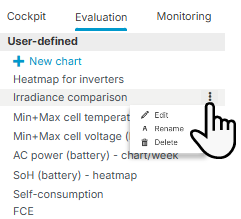
Overview of all user-defined charts of a system
Prerequisites
-
User group customer or higher
Steps
-
Find all user-defined charts of a system at System level , in the

Further actions
-


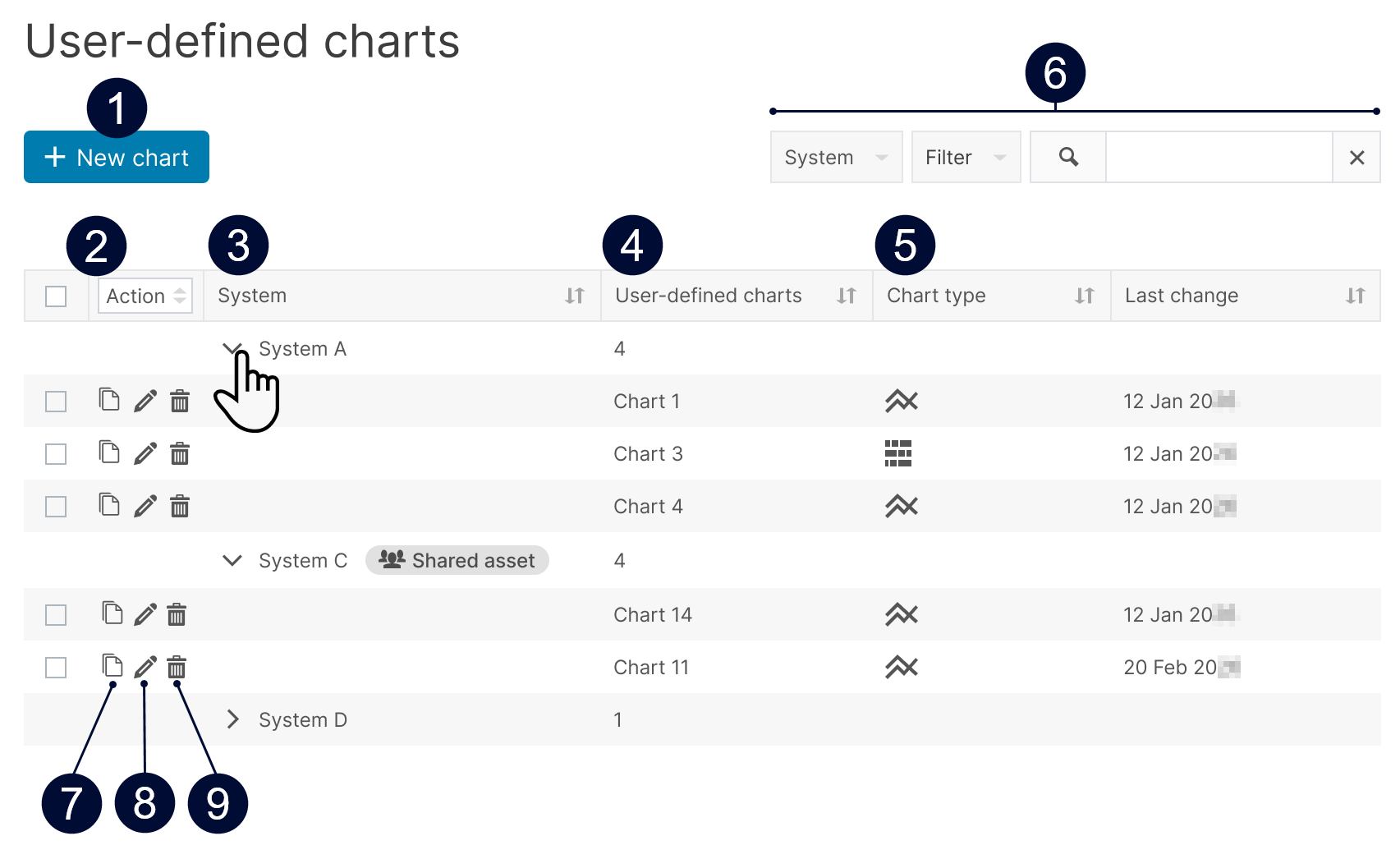
Overview of all user-defined charts of all systems in your portfolio
Prerequisites
-
User group technician or higher
Steps
-
Find all user-defined charts at portfolio level under
.png?cb=12102cf9ad8b8bc5c973d4c89009819a)

Further actions
|
Name |
Description |
|
|---|---|---|
|
1 |
+ New chart |
Create a new chart. See Create a user-defined chart from portfolio level. |
|
2 |
Multi-select, and Bulk actions |
|
|
3 |
Systems |
List of all systems in your portfolio. |
|
4 |
User-defined charts |
|
|
5 |
Chart type |
Displays the type of a chart:
|
|
6 |
Search and filter |
Search the chart list and filter by certain criteria. |
|
7 |
|
Copy a chart within your portfolio. Can not be performed as batch action. See Copy a user-defined chart to another system. |
|
8 |
|
Configure the parameters of an existing chart. Can not be performed as batch action. See Configure a user-defined standard chart or Configure a user-defined heatmap. |
|
9 |
|
Deletes charts permanently for all users with access to the respective system. |


