.svg)
Last modified:
About virtual PPC
Some systems – especially those not using a blue'Log as a power plant controller (PPC) – do not send conventional curtailment setpoints. Instead, they may provide only device states or bit‑coded values that do not directly represent a usable PPC setpoint. The virtual PPC allows you to translate these signals into a setpoint value that emulates a real PPC signal and can be used for monitoring purposes in VCOM. For this, you must create a term whose output is a percentage derived from available inputs – for example, specific state codes, bit combinations, or calculations based on inverter power relative to installed capacity.
Once a term that produces a percentage value is created, it can be assigned as the input for a virtual PPC. The virtual PPC then uses this value in VCOM, where it is processed identically to a real PPC signal. This can then be used, for example, for:
-
Generation of curtailment events
-
Visualization in the Power control tab
The virtual PPC is strictly a monitoring function and does not influence plant operation.
Limitation: only 1 virtual PPC per curtailment source (grid operator, energy trader, etc.)
Create a virtual PPC
Prerequisites
-
In general, it only makes sense to use this feature if your system has a PPC and can be curtailed.
Steps
-
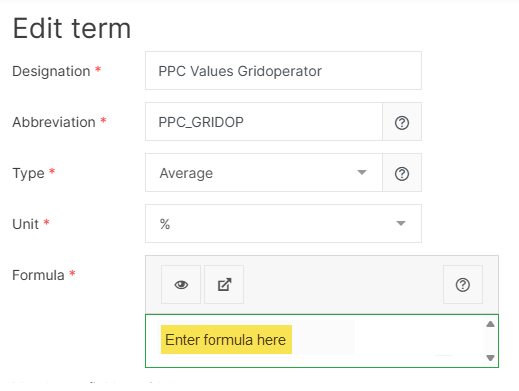
If you have not already done so, create a term. The term itself will vary depending on your device and its available measured values, but the result must be percentage value (e.g. 50%). The result of this term will now be used as a setpoint to simulate a PPC for curtailment events.
-
At system level , go to

-
Select Create virtual PPC.
-
Add the term you created.
-
Select where the curtailment comes from under Curtailment source.
-
Select Save.
You can now use this data in VCOM.
Example term used for a virtual PPC
In this example term, each line checks a specific combination of the two digital inputs and outputs a corresponding curtailment percentage:
-
Both inputs = 0 → 100%. The system is allowed to operate at full power.
-
Both inputs = 1 → 0%. The system is fully curtailed (zero feed‑in).
-
Input combination 1/0 → 30%. The system is curtailed to 30% of installed capacity.
-
Input combination 0/1 → 60%. The system is curtailed to 60%.
if(sum('STATUS(SN123456)-STATE-ID101010';'STATUS(SN123456)-STATE-ID202020')==0;100)
??
if(sum('STATUS(SN123456)-STATE-ID101010';'STATUS(SN123456)-STATE-ID202020')==2;0)
??
if('STATUS(SN123456)-STATE-ID202020'==0;if('STATUS(SN123456)-STATE-ID101010'==1;30))
??
if('STATUS(SN123456)-STATE-ID101010'==0;if('STATUS(SN123456)-STATE-ID202020'==1;60))