.svg)
Last modified:
Besides managing user-defined charts at system level, you can also manage them in a combined overview at portfolio level.
Overview
Prerequisites
-
User group technician or higher
Find all user-defined charts at portfolio level under .png?cb=12102cf9ad8b8bc5c973d4c89009819a)

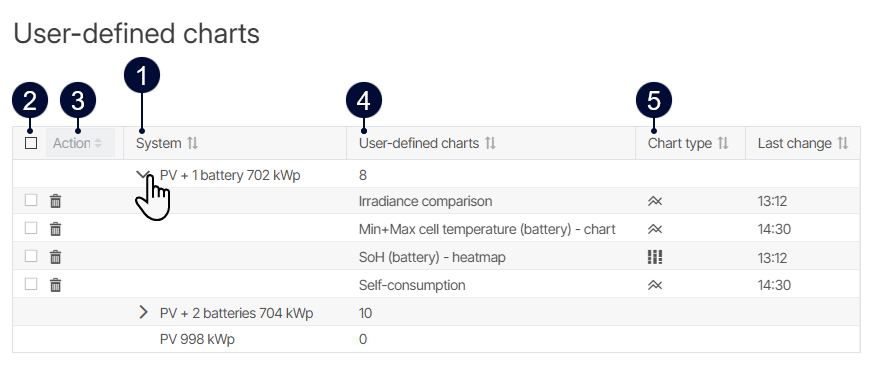
|
Name |
Description |
|
|---|---|---|
|
1 |
Systems |
List of all systems in your portfolio. |
|
2 |
Multi-select |
Select multiple charts individually or all charts at once in the header row to perform bulk actions. |
|
3 |
Bulk action |
After selecting one or more charts, select an action from the dropdown.
|
|
4 |
User-defined charts |
|
|
5 |
Chart type |
Displays the type of a chart:
|


