.svg)
Last modified:
Note
The content on this page refers only to the blue'Log XC combined with the Hybrid EMS licence.
Setpoint filter
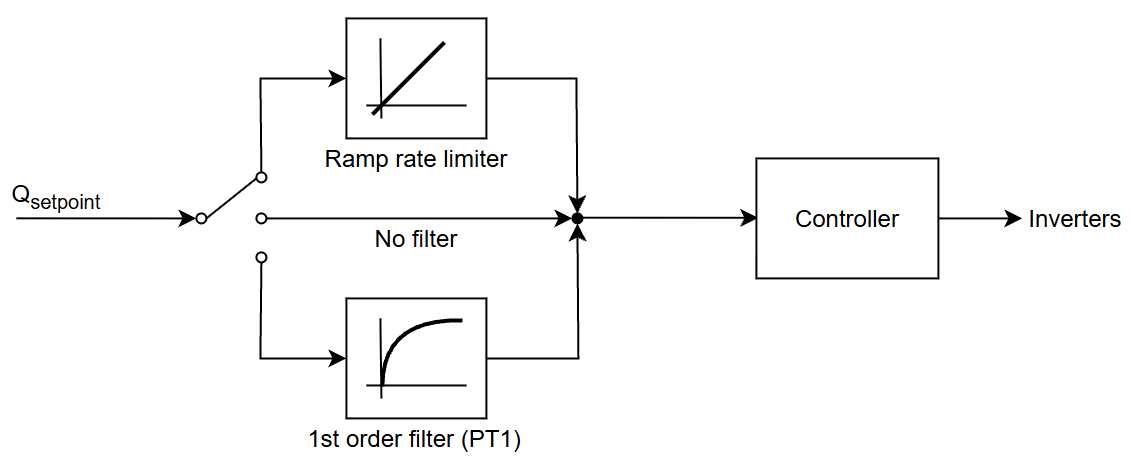
The Setpoint filter feature allows you to modify the setpoint to achieve the desired control behavior. You can apply a setpoint filter to all reactive power control modes.
The following options are available:
-
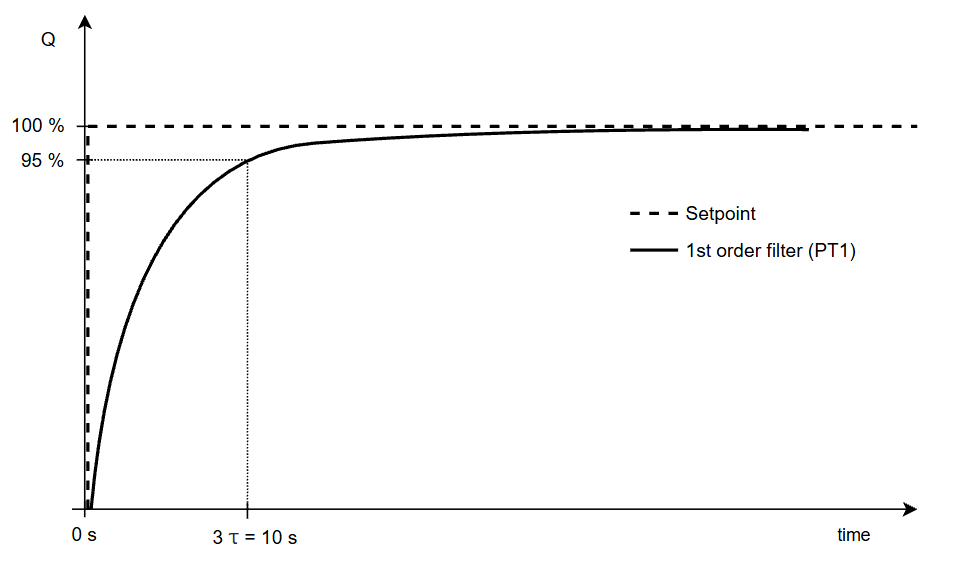
1st order filter (PT1): The output approaches the target value exponentially according to a defined time constant (required e.g. in Germany).
-
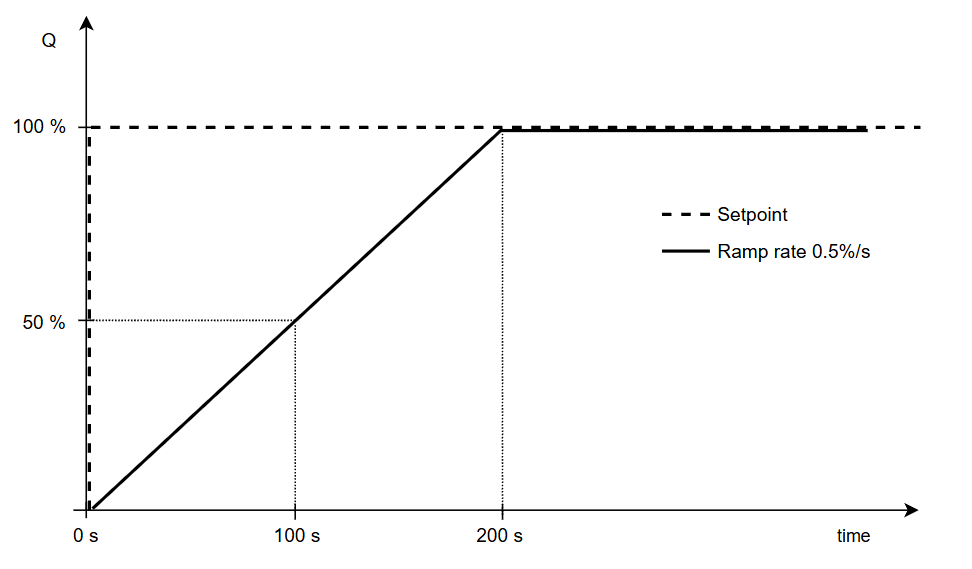
Ramp rate limiter: Limits the speed of the setpoint change to a defined value (setpoint command modes only).
-
No filter: The setpoint is passed on unchanged.
Configure the setpoint filter
Steps
-
Go to Power Control > Reactive power.
-
Under Control mode, select one of the setpoint command modes from the dropdown.
-
Select the

-
Select the tab Options.
-
Activate the toggle Setpoint filter.
-
Select one of the following from the dropdown:
-
Ramp rate: Enter the ramp rate in %/s.
-
PT1: Enter the required time constant in sec.
-
The setpoint filter is now active.
Example: 1st order filter
In a first-order filter, the setpoint is filtered so that it approaches the target value exponentially without overshoot. The time constant 3τ defines the behavior, which corresponds to reaching 95% of the setpoint.
Example: Ramp rate limiter
The ramp rate limiter limits how fast the setpoint changes to the desired value. In this way, the reactive power response can be slowed down and executed linearly.