.svg)
Last modified:
If you have a WEB'log as a master for power control, you do not need to use another WEB'log as a slave. You can configure a blue'Log XM as a slave and activate existing WEB’Log features:
-
blue’Log XM devices can receive setpoints from a WEB’log Master
-
The Slave group, Inverter sum, and Behaviour in the event of error can be configured
Configure a blue'Log XM as a WEB'log slave
Prerequisites
-
blue’Log XM
-
Firmware ≥ 15.1.8
Steps
-
Go to Power Control > Operating data > Select Slave.
-
The Extended Slave configuration will appear. Activate the WEB’Log Slave toggle.
-
Additional configuration options will appear.
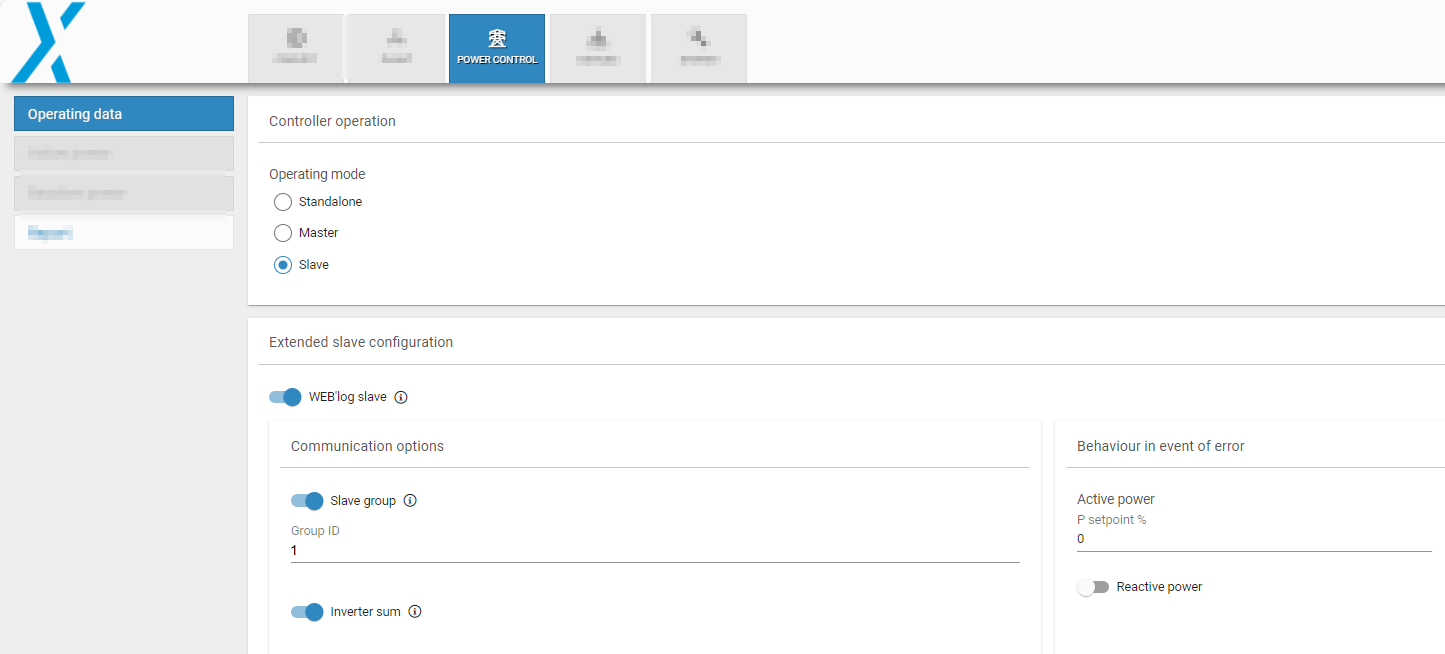
Operate a blue'Log XM as a WEB'log slave
-
Activate the toggle to set a Slave group: The Group ID is visible on the WEB’Log user interface.
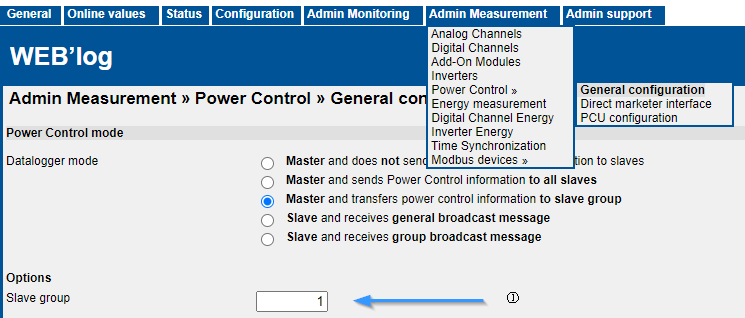
Slave group on WEB’Log
-
Select the Inverter sum toggle to transmit the total power of all inverters connected to the slave to the WEB'log master.
-
Behaviour in the event of error: Configure the active and reactive power setpoints to be used if communication to the WEB’Log master is interrupted.
-
If you are replacing an old WEB’log slave, enter the same settings.
-
If you do not know the settings, but there are other Slaves at your plant, use the settings from another slave. Normally, all slaves will use the same configurations.
-
-
Select Save.